Time your techs barely touch.
Getting techs to track time is like pulling teeth.
What if their time was worked out for them?
What if they barely had to touch it?
What would that fix for you?
Utilization
See who is busy and who has room.
Idle time stays out of worked hours.
Profitability
See which clients earn their keep.
A score tells you how far to trust the number.
Billing
Billable time on closed tickets turns into invoice lines.
Invoices go to QuickBooks Online.
Step by step
How it works
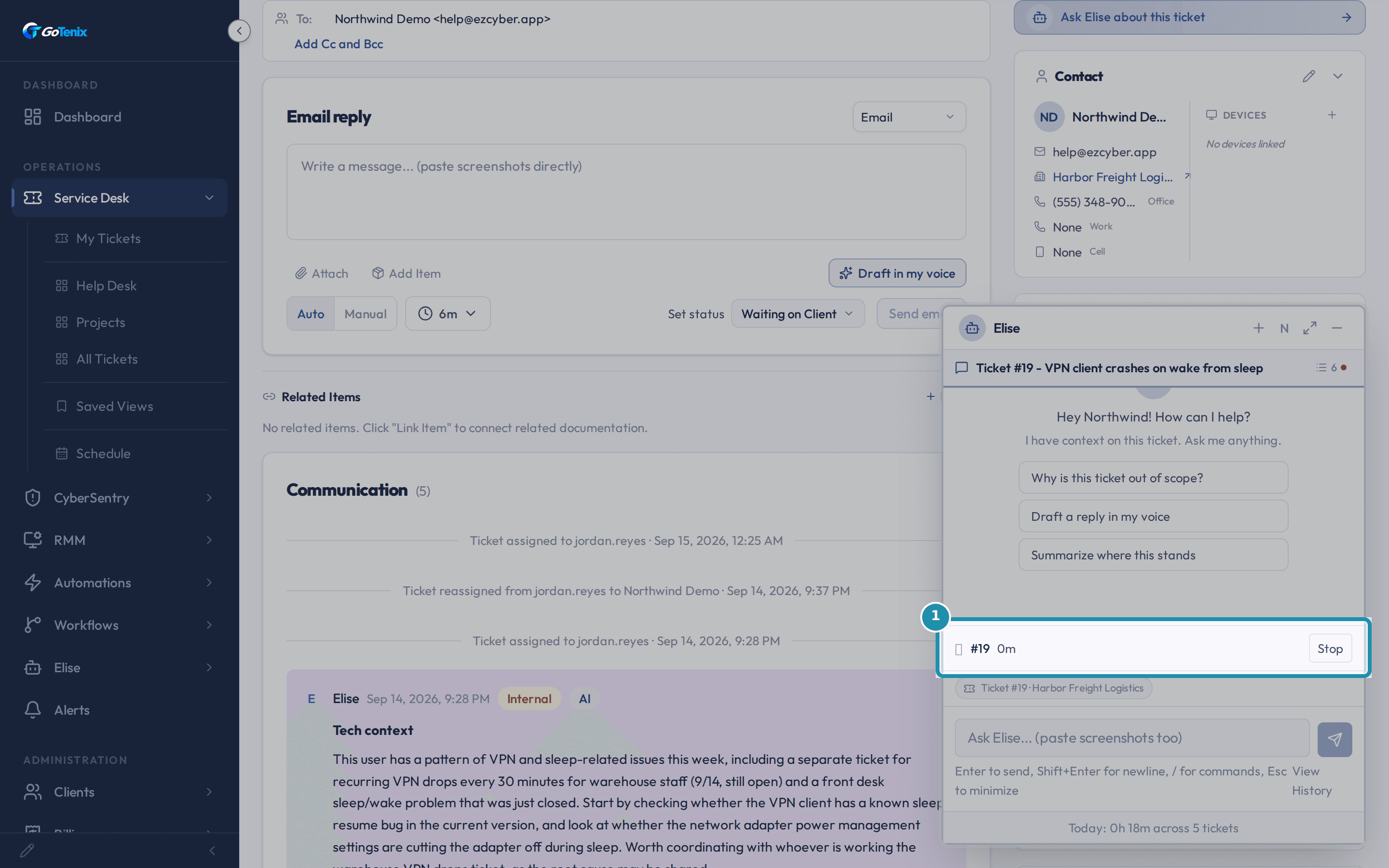 1
1Open a ticket and a timer starts by itself.
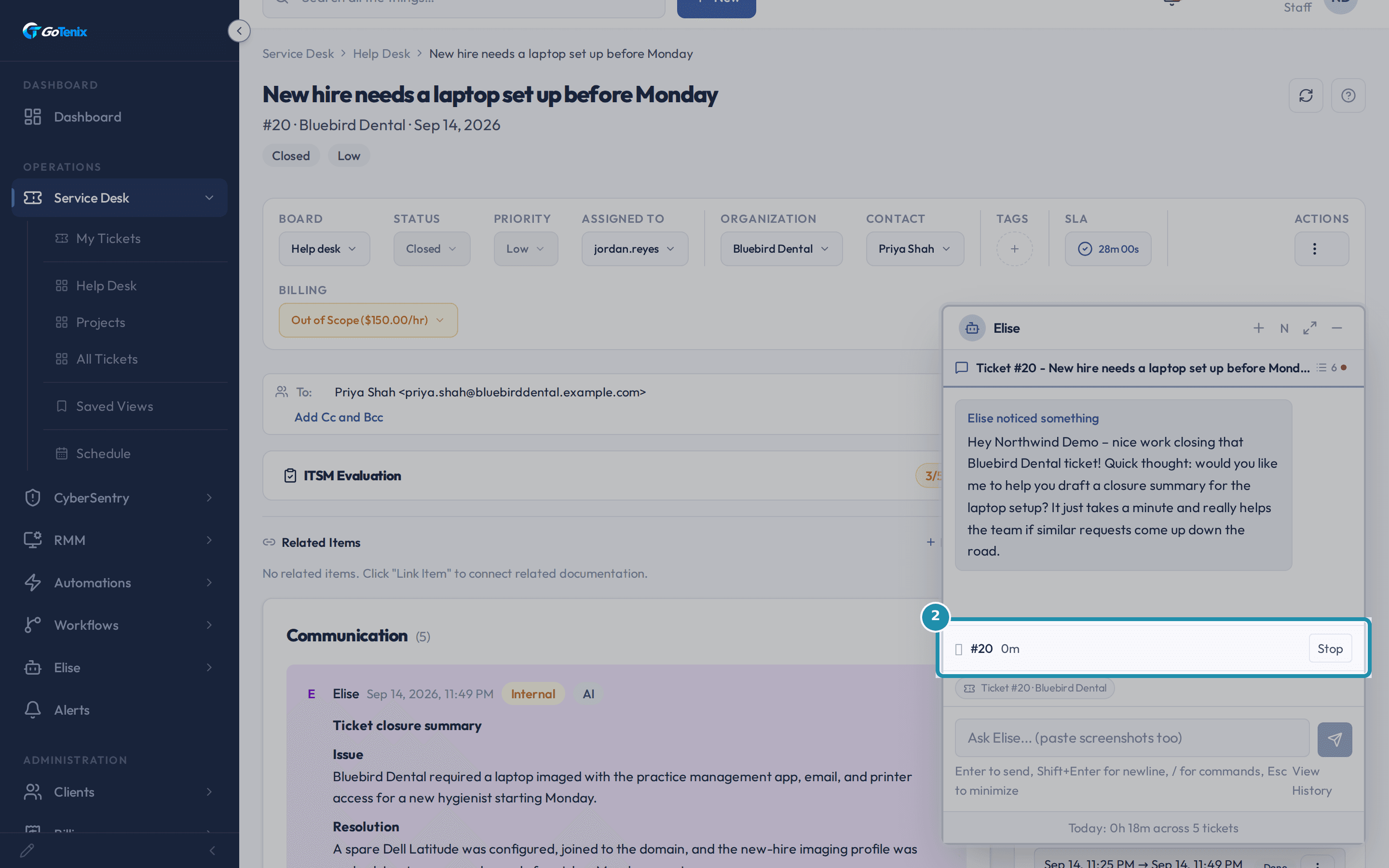 2
2Open another ticket and the first timer stops.
- 3
Step away for 30 minutes and the time shows as idle.
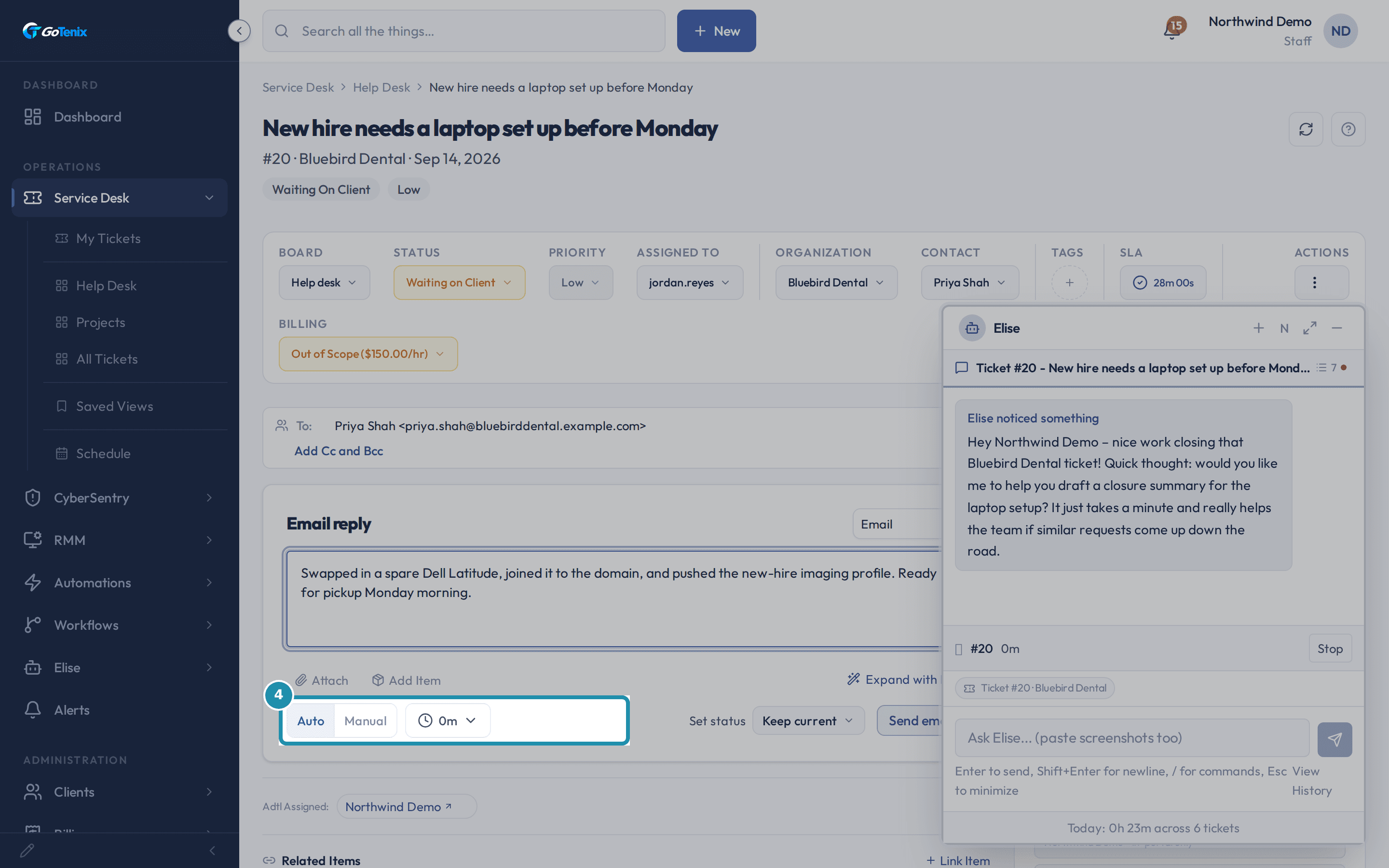 4
4Write a reply and see the minutes the timer watched.
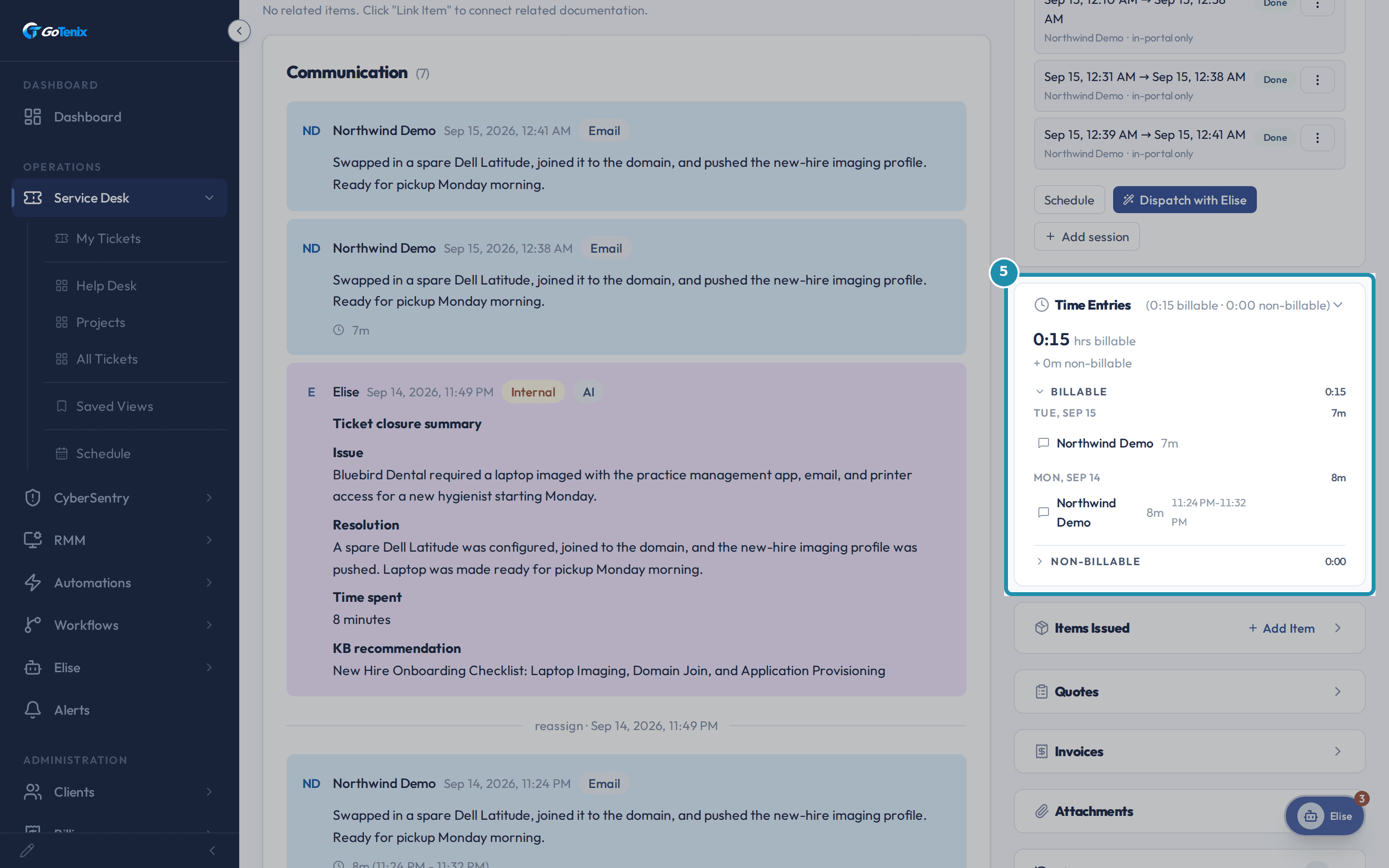 5
5Send it, and those minutes become a time entry you can edit.
- 6
Leftover time comes back as a suggestion to approve or fix.
Swipe for the next step
What's different
Time comes from what the tech did, not a timesheet typed later.
The system asks instead of guessing, and nothing bills itself.
Worked time and idle time are never mixed.
What stays in your hands
- A reply, a typed entry or a yes books the time.
- A ticket you only looked at never bills.
- The timer watches the portal tab only.
- Calls, visits and work in other windows are typed in.
Read more in the help center
- How to track time as you work
- How to reply to a ticket and set its status
- How to see who is under target and which clients lose you money
- How to set time tracking rules and SLA targets
- How to work a ticket with Elise, time tracking and billing
- How to set up a client agreement and bill the first period
- How to go from agreements to invoices at month end
- How to talk to Elise and see what she can do
Questions, answered.
Does a PSA time tracker start automatically?
Yes, in GoTenix a timer starts when a tech opens a ticket.
A reply books the minutes the timer watched.
The tech can change the number first.
How do I stop techs forgetting to log time?
Time nobody claimed comes back as a suggestion.
The suggestion shows how sure the system is.
The tech approves it or fixes it.
Does automatic time tracking count idle time?
No.
After 30 minutes without activity, the time shows as idle.
Idle time is never added to worked time.
You can change the 30 minutes.
Can a PSA bill for time a tech only looked at?
Not in GoTenix.
A ticket that was only viewed is never worked time.
It never becomes billable time on its own.