Every automated change can say why.
Something changed while nobody was looking.
Six months later, nobody knows why.
What if every automated change named its cause?
What would that fix for you?
Answers
Open History on a ticket.
The row names what acted, and what it did.
Control
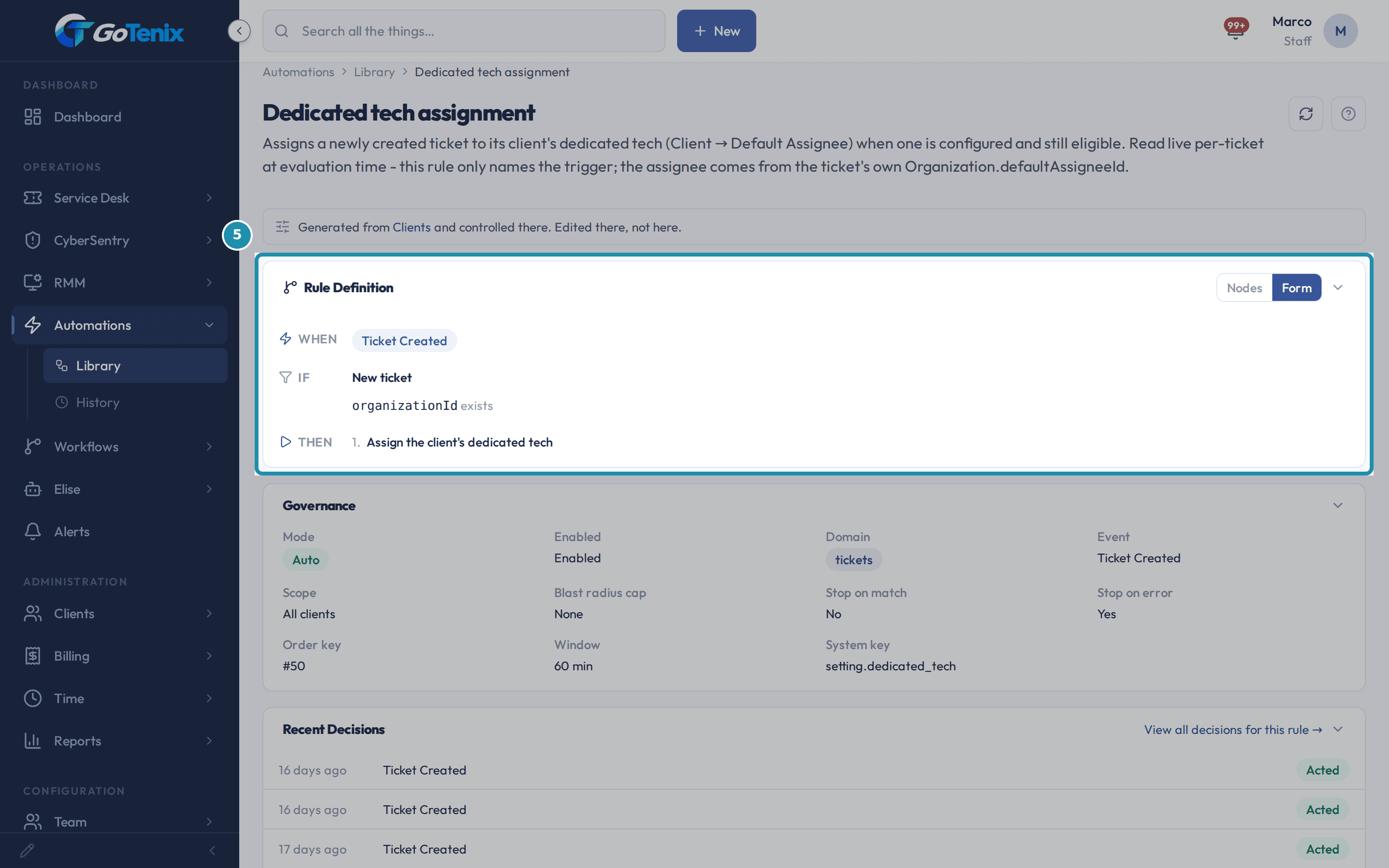
The Automations Library lists every rule that runs by itself.
Each shows its trigger, source and status.
AI you can check
Every Elise action is logged.
Risky ones wait for a second person.
Step by step
How it works
 1
1A ticket, invoice, quote or document shows a History card.
- 2
Each row is named by what acted.
- 3
A person is named only when a person acted.
- 4
The reason and the change are one entry.
- 5
Rules show trigger, source and status in one place.
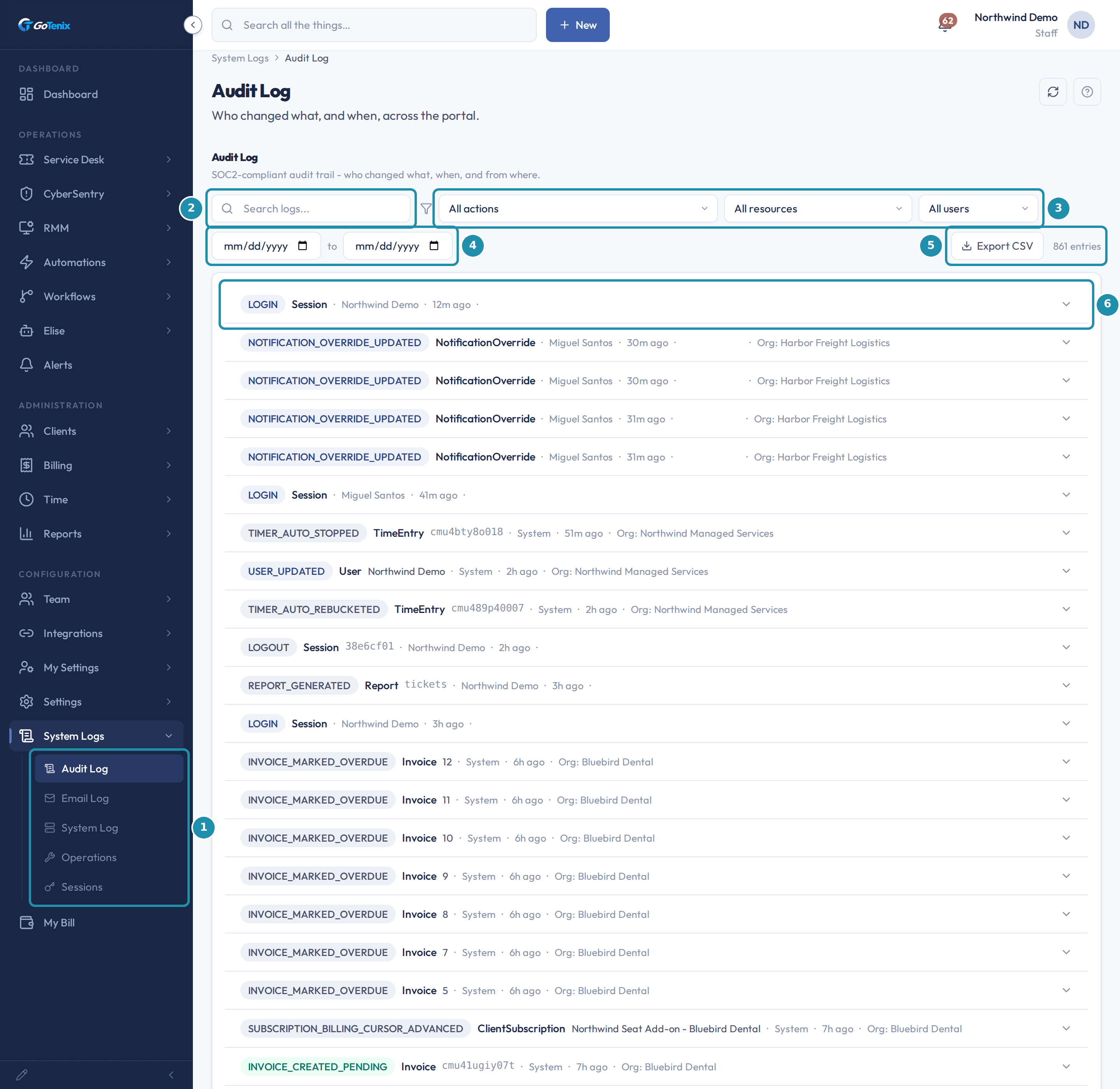 6
6System Logs hold the audit log, with filters and a month picker.
Swipe for the next step
What's different
A dispatch assignment names the setting or rule that made it.
A status change from any place writes the same record.
Elise is blocked from users, roles, secrets, vault entries and audit logs.
What stays in your hands
- Not every record names its cause.
- A second person approves risky Elise actions.
Read more in the help center
- How to see why the system changed something
- Why did the system do that on one ticket?
- What Automations and Elise do for you
- How to build an automation rule that acts on its own
- How to set what Elise can do: actions, confirmations and automation
- What the System Logs show
- How to talk to Elise and see what she can do
Questions, answered.
How do I see why a PSA changed a ticket?
Open the ticket's History.
The row names the setting, rule or job that made the change.
It also says what it did.
Can I audit what an AI assistant did?
Yes.
Every Elise action is logged with who, what, how and why.
Risky ones wait for a second person.
Where do I see every automation that runs by itself?
In the Automations Library.
Each rule shows its trigger, source and whether it is live.